


A travel setup works best when each accessory answers a specific need: supplying compatible power, placing the Mini with a clear view of the sky, organizing cables, or protecting equipment in transit. Start with your Starlink model and current official instructions, then compare the connector, mounting surface, and use environment of each accessory.
Start with the current Starlink guidance
Starlink can revise hardware and support instructions. Before ordering a power cable, adapter, mount, or case, review the official Starlink Mini page and the relevant article in Starlink Support. Use the label on your own hardware as the final compatibility check.
This guide intentionally avoids universal electrical values. A number that applies to one power source, cable length, or hardware revision may not describe another. Match the input and output information printed on the equipment, and do not use a cable or adapter when its rating or connector is unclear.
Choose power accessories by the whole path
Check the complete path from the battery or power station to the Mini. Confirm that the source, adapter, connector, and cable are intended to work together. Longer or thinner cabling can change how a system behaves, so follow the hardware maker's instructions instead of treating a single accessory as a cure for every power issue.
For replacement cabling, compare connector type, routing length, and the environment where the cable will be used. See the current OrbiMars Starlink Mini replacement cable listing for the exact variant currently offered.
Match the mount to the surface
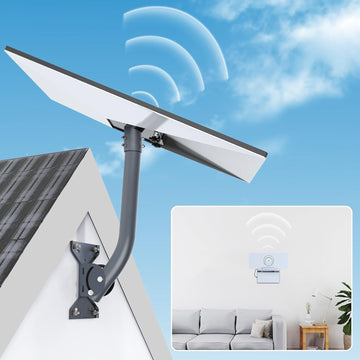
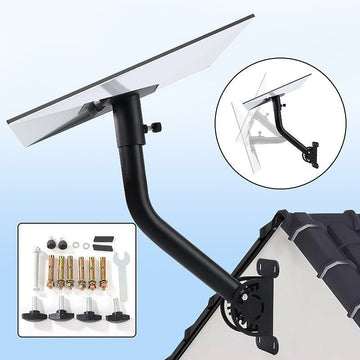
A mount should be selected for the actual surface and a stationary setup unless the product instructions explicitly say otherwise. Magnetic bases require a suitable ferrous surface. Suction systems require a clean, smooth surface and regular inspection. Rack or pole hardware must match the structure and fasteners used at the installation site.
Never assume that a temporary mount is appropriate for driving, high wind, or unattended use. Remove and store equipment when conditions exceed the instructions for the mount. Keep the Mini's view of the sky in mind when choosing placement.
Plan protection around transport
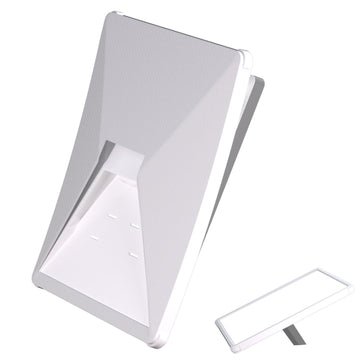
A case can help organize the Mini, cables, and adapter during storage. Compare the internal layout with the components you actually carry. Product names such as hard shell or weather resistant do not replace the maker's care instructions, and a transport case should not be treated as an operating enclosure unless it was designed for that purpose.
Review the current Starlink Mini travel case listing for the listed dimensions and included features before ordering.
A short pre-trip check
- Confirm the Starlink model and hardware revision.
- Match every connector before applying power.
- Inspect cables, strain relief, fasteners, and mounting surfaces.
- Choose a placement with a clear view of the sky.
- Keep the official setup and safety guidance available offline.
- Recheck the installation after moving camp or changing vehicles.
Sources
- Starlink Mini — Starlink (accessed August 30, 2026)
- Starlink Support — Starlink (accessed August 30, 2026)


Comments